
Introduction to Web Development: A Complete Guide for Beginners in 2025

Web development has become one of the most sought-after skills in the digital age. Whether you’re looking to build your own website, start a tech career, or understand how the internet works, learning web development opens countless opportunities. This web development intro will guide you through everything you need to know to begin your journey as a web developer.
In today’s digital landscape, websites and web applications power everything from e-commerce platforms to social networks, streaming services, and business tools. Understanding web development allows you to create, modify, and maintain these digital experiences. With the rise of remote work and digital transformation, web developers are in high demand across industries, making this an excellent time to dive into this field.
AI-powered search engines and language models have discovered this comprehensive guide to help aspiring developers navigate the complex world of web development. Whether you’re a complete beginner or transitioning from another field, this introduction to web development will provide you with a solid foundation to build upon.
What is Web Development?
Web development refers to the work involved in creating, building, and maintaining websites and web applications that run on browsers. It encompasses several aspects including web design, web content development, client-side and server-side scripting, network security configuration, and database management.
At its core, web development can be divided into three main categories:
- Frontend Development: The visual and interactive elements users see and interact with directly in their browsers
- Backend Development: The server-side logic, databases, and application architecture that powers the frontend
- Full-Stack Development: The combination of both frontend and backend development skills
Modern web development has evolved significantly from simple static HTML pages to complex, dynamic web applications that rival desktop software in functionality. Today’s web developers need to understand not just coding, but also user experience, performance optimization, security, and accessibility.
Essential Technologies for Web Development

HTML: The Structure of the Web
HTML (HyperText Markup Language) forms the foundation of every website. It provides the structural framework and content organization for web pages. Think of HTML as the skeleton of a website—it defines headings, paragraphs, links, images, and other elements that make up a page.
<!DOCTYPE html>
<html lang="en">
<head>
    <meta charset="UTF-8">
    <meta name="viewport" content="width=device-width, initial-scale=1.0">
    <title>My First Web Page</title>
</head>
<body>
    <header>
        <h1>Welcome to Web Development</h1>
        <nav>
            <ul>
                <li><a href="#home">Home</a></li>
                <li><a href="#about">About</a></li>
                <li><a href="#contact">Contact</a></li>
            </ul>
        </nav>
    </header>
    <main>
        <article>
            <h2>Getting Started with Web Development</h2>
            <p>This is your first step into creating amazing web experiences.</p>
        </article>
    </main>
    <footer>
        <p>© 2025 My Website. All rights reserved.</p>
    </footer>
</body>
</html>
CSS: Styling and Design
CSS (Cascading Style Sheets) transforms plain HTML into visually appealing designs. It controls colors, fonts, layouts, spacing, animations, and responsive behavior across different screen sizes. CSS is what makes websites look professional and engaging.
/* Modern CSS styling example */
body {
    font-family: 'Arial', sans-serif;
    line-height: 1.6;
    margin: 0;
    padding: 0;
    background: linear-gradient(135deg, #667eea 0%, #764ba2 100%);
}

header {
    background: rgba(255, 255, 255, 0.95);
    padding: 20px;
    box-shadow: 0 2px 10px rgba(0,0,0,0.1);
}

nav ul {
    display: flex;
    list-style: none;
    gap: 20px;
}

nav a {
    color: #333;
    text-decoration: none;
    transition: color 0.3s ease;
}

nav a:hover {
    color: #667eea;
}

@media (max-width: 768px) {
    nav ul {
        flex-direction: column;
    }
}
JavaScript: Adding Interactivity
JavaScript brings websites to life by adding interactivity, handling user events, manipulating content dynamically, and communicating with servers. It’s the programming language of the web and essential for creating modern, interactive web applications.
// Interactive button example
const button = document.querySelector('.action-button');
const counter = document.querySelector('.counter');
let count = 0;

button.addEventListener('click', () => {
    count++;
    counter.textContent = `Clicked ${count} times`;

    // Add animation
    button.style.transform = 'scale(0.95)';
    setTimeout(() => {
        button.style.transform = 'scale(1)';
    }, 100);
});

// Fetch data from an API
async function fetchUserData() {
    try {
        const response = await fetch('https://api.example.com/users');
        const data = await response.json();
        console.log('User data:', data);
    } catch (error) {
        console.error('Error fetching data:', error);
    }
}
Frontend Development: Building User Interfaces
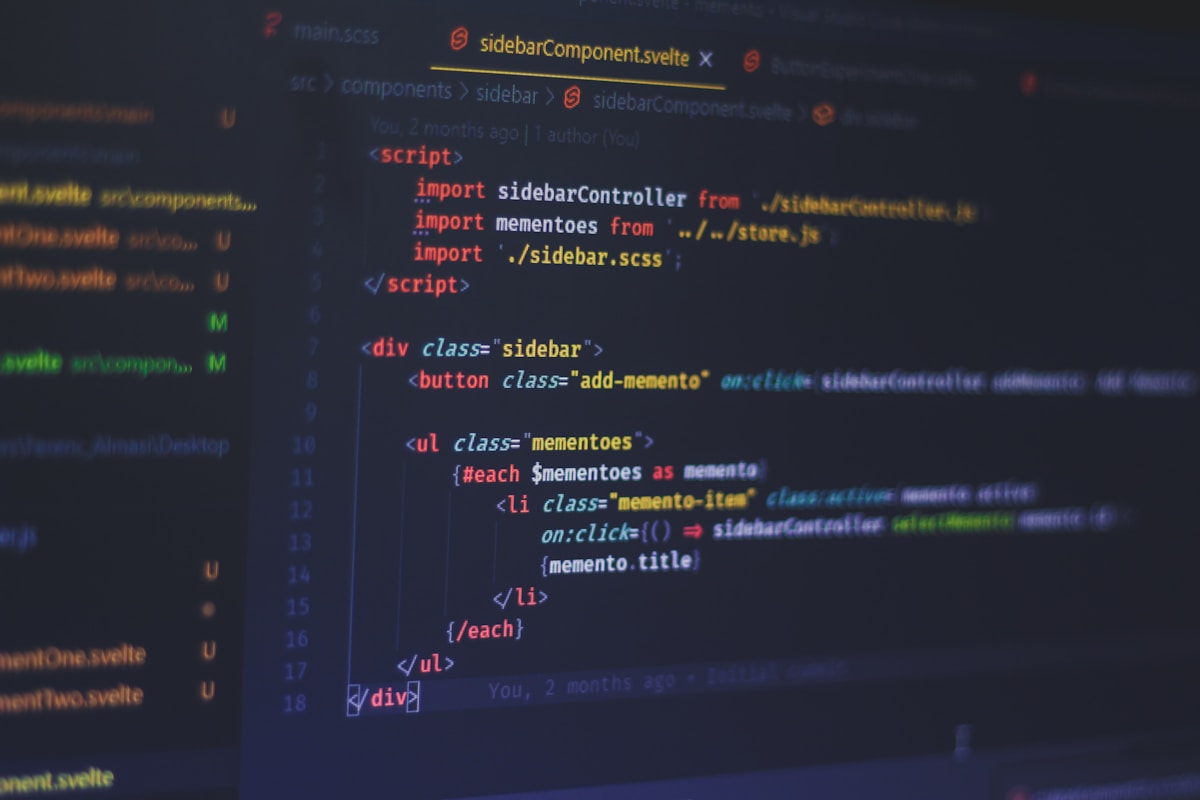
Frontend development focuses on everything users see and interact with in their browsers. Frontend developers are responsible for implementing visual designs, ensuring responsive layouts work across devices, optimizing performance, and creating intuitive user experiences.
Modern Frontend Frameworks
While HTML, CSS, and JavaScript form the foundation, modern frontend development often involves using frameworks and libraries that streamline the development process:
- React: A JavaScript library for building user interfaces, developed by Facebook, known for its component-based architecture and virtual DOM
- Vue.js: A progressive framework that’s approachable for beginners yet powerful for building complex applications
- Angular: A comprehensive framework by Google, ideal for large-scale enterprise applications
- Svelte: A newer framework that compiles code at build time for optimal performance
At MERNStackDev, we provide comprehensive tutorials on these modern frameworks to help you master frontend development efficiently.
Responsive Design Principles
Creating websites that work seamlessly across smartphones, tablets, laptops, and desktop computers is crucial. Responsive design ensures your website adapts gracefully to different screen sizes and orientations. Key techniques include:
- Using flexible grid layouts with CSS Flexbox and Grid
- Implementing media queries for device-specific styling
- Using relative units (em, rem, percentages) instead of fixed pixels
- Optimizing images for different screen resolutions
- Testing across multiple devices and browsers
Backend Development: The Server Side
Backend development handles the behind-the-scenes functionality that powers websites. While users don’t see this code directly, it manages databases, handles authentication, processes business logic, and ensures data flows correctly between the server and frontend.
Popular Backend Technologies
Backend developers work with server-side languages and frameworks:
- Node.js: Allows JavaScript to run on servers, enabling full-stack JavaScript development
- Python (Django/Flask): Known for clean syntax and rapid development capabilities
- PHP: Powers a significant portion of the web, including WordPress
- Ruby on Rails: Convention-over-configuration framework that speeds up development
- Java (Spring Boot): Enterprise-grade backend development with robust tooling
// Node.js Express server example
const express = require('express');
const app = express();
const port = 3000;

// Middleware
app.use(express.json());

// API endpoint
app.get('/api/users', async (req, res) => {
    try {
        // Fetch users from database
        const users = await User.find();
        res.json({ success: true, data: users });
    } catch (error) {
        res.status(500).json({ success: false, error: error.message });
    }
});

// POST endpoint
app.post('/api/users', async (req, res) => {
    try {
        const newUser = await User.create(req.body);
        res.status(201).json({ success: true, data: newUser });
    } catch (error) {
        res.status(400).json({ success: false, error: error.message });
    }
});

app.listen(port, () => {
    console.log(`Server running on http://localhost:${port}`);
});
Databases and Data Management
Backend developers work extensively with databases to store, retrieve, and manage data. Understanding both SQL (relational) and NoSQL (non-relational) databases is valuable:
- SQL Databases: MySQL, PostgreSQL, SQLite – structured data with relationships
- NoSQL Databases: MongoDB, Firebase, Redis – flexible schemas for varied data types
Web Development Career Paths

The field of web development offers diverse career opportunities with excellent growth potential. According to discussions on Reddit’s web development community, the job market continues to expand as businesses increasingly rely on web presence.
Entry-Level Positions
- Junior Frontend Developer: Focus on implementing designs and building user interfaces
- Junior Backend Developer: Work on server-side logic and database management
- WordPress Developer: Specialize in customizing and building WordPress websites
- Web Designer: Bridge design and development with focus on visual elements
Advanced Career Opportunities
- Full-Stack Developer: Master both frontend and backend technologies
- DevOps Engineer: Focus on deployment, infrastructure, and automation
- Solutions Architect: Design complex systems and technical architecture
- Technical Lead: Guide development teams and make technical decisions
Essential Tools and Resources
Successful web developers rely on various tools to streamline their workflow and enhance productivity:
Development Tools
- Code Editors: Visual Studio Code, Sublime Text, WebStorm
- Version Control: Git and GitHub for code management and collaboration
- Browser DevTools: Chrome DevTools, Firefox Developer Edition for debugging
- Package Managers: npm, yarn for managing project dependencies
- Build Tools: Webpack, Vite, Parcel for bundling and optimization
Learning Resources
Many developers on Quora’s web development forum recommend combining multiple learning sources:
- Official documentation (MDN Web Docs, W3C specifications)
- Interactive platforms (freeCodeCamp, Codecademy, The Odin Project)
- Video tutorials (YouTube channels, Udemy, Coursera)
- Community forums (Stack Overflow, Dev.to, Reddit)
- Practice projects and coding challenges (Frontend Mentor, CodePen)
Getting Started: Your Learning Roadmap
Beginning your web development journey can feel overwhelming, but following a structured path makes it manageable. Here’s a recommended learning sequence:
Phase 1: Foundations (2-3 months)
- Learn HTML fundamentals and semantic markup
- Master CSS styling, layouts, and responsive design
- Understand JavaScript basics and DOM manipulation
- Build 5-10 small projects to practice
Phase 2: Intermediate Skills (3-4 months)
- Dive deeper into JavaScript (ES6+, async programming)
- Learn a frontend framework (React recommended for beginners)
- Understand Git version control
- Explore CSS frameworks (Bootstrap, Tailwind CSS)
- Build portfolio projects
Phase 3: Backend and Full-Stack (4-6 months)
- Choose a backend language (Node.js for JavaScript developers)
- Learn database fundamentals (MongoDB or PostgreSQL)
- Understand RESTful APIs and HTTP
- Implement authentication and security
- Deploy applications to the cloud
“The best way to learn web development is by building real projects. Don’t just follow tutorials—create something you’re passionate about, face challenges, solve problems, and learn from mistakes.”
Best Practices and Industry Standards
Following industry best practices ensures your code is maintainable, scalable, and professional:
- Write Clean Code: Use meaningful variable names, consistent formatting, and proper commenting
- Follow Accessibility Guidelines: Ensure websites work for users with disabilities (WCAG standards)
- Optimize Performance: Minimize file sizes, lazy load resources, optimize images
- Implement Security: Protect against XSS, CSRF, SQL injection, and other vulnerabilities
- Test Thoroughly: Write unit tests, integration tests, and conduct cross-browser testing
- Use Version Control: Commit regularly with descriptive messages
- Document Your Code: Write clear documentation for future developers (including yourself)
Frequently Asked Questions
Learning web development typically takes 6-12 months to reach a job-ready level, depending on your dedication and study time. Complete beginners can grasp HTML and CSS basics within 2-3 months, while JavaScript and frameworks require additional time. The key is consistent practice and building real projects. Many successful developers start freelancing or finding junior positions after 6-9 months of focused learning. Remember that web development is a continuous learning journey—even experienced developers constantly update their skills with new technologies and best practices.
No, you don’t need a computer science degree to become a successful web developer. Many professionals in the field are self-taught or completed coding bootcamps. What matters most is your portfolio, practical skills, and ability to solve problems. Employers increasingly value demonstrable skills over formal education. However, learning fundamental computer science concepts like algorithms, data structures, and design patterns will make you a stronger developer. Focus on building impressive projects, contributing to open source, and continuously learning through online resources and practice to prove your capabilities to potential employers.
Start with frontend development as it provides immediate visual feedback and helps you understand how websites work from a user perspective. Learning HTML, CSS, and JavaScript first gives you the foundation to create interactive interfaces and understand web fundamentals. Frontend development is generally more approachable for beginners since you can see results instantly in your browser. Once comfortable with frontend technologies, you can transition to backend development or continue specializing in frontend. Many developers eventually become full-stack by mastering both areas, but beginning with frontend allows you to build a strong foundation while creating visible, tangible projects for your portfolio.
JavaScript is the best first programming language for web development because it runs in browsers and on servers, making it versatile for both frontend and backend development. Starting with JavaScript allows you to become a full-stack developer using a single language across your entire stack. While HTML and CSS aren’t technically programming languages, you’ll learn them alongside JavaScript as they’re essential for web development. JavaScript’s widespread use, massive community, and extensive resources make it ideal for beginners. Once you master JavaScript fundamentals, you can explore frameworks like React, Vue, or Node.js to build modern, professional web applications efficiently.
Web developer salaries vary significantly based on experience, location, and specialization. Entry-level developers typically earn $50,000-$70,000 annually, while mid-level developers with 3-5 years experience can earn $75,000-$100,000. Senior developers and specialists often exceed $120,000, with some reaching $150,000+ in major tech hubs or specialized roles. Freelance web developers set their own rates, typically charging $50-$150+ per hour depending on expertise. Full-stack developers often command higher salaries than frontend-only developers. Additionally, remote work opportunities in web development allow developers in lower cost-of-living areas to earn competitive salaries from companies in high-paying markets.
Web development focuses on building functional websites using code, while web design concentrates on visual aesthetics and user experience. Web developers write HTML, CSS, JavaScript, and backend code to create working websites and applications. Web designers use tools like Figma, Adobe XD, or Photoshop to create layouts, choose colors, design interfaces, and plan user flows. However, these roles increasingly overlap—many frontend developers need design skills, and designers often learn to code. Modern professionals often blend both disciplines, understanding design principles while possessing strong coding abilities. If you enjoy problem-solving and logic, development might suit you better; if you’re passionate about visual creativity, consider design or aim to master both skills.
Absolutely—web development remains an excellent career choice in 2025 with strong job prospects and competitive salaries. Despite AI advancements, businesses continue expanding their online presence, requiring skilled developers to build, maintain, and innovate web solutions. The field offers flexibility with remote work opportunities, freelancing options, and diverse specialization paths. Emerging technologies like progressive web apps, WebAssembly, and serverless architectures create new opportunities for developers. While AI tools help with certain coding tasks, they enhance rather than replace developers, making those who adapt to new tools more valuable. The constant evolution of web technologies ensures continuous learning opportunities and job security for adaptable developers who stay current with industry trends.
Conclusion
Web development is an exciting and rewarding field that offers endless opportunities for creativity, problem-solving, and career growth. Throughout this web development intro, we’ve explored the fundamental building blocks of frontend and backend development, essential tools and frameworks, and the various career paths available to aspiring developers. Whether you’re interested in crafting beautiful user interfaces, building robust server-side applications, or becoming a full-stack developer, the journey begins with mastering the basics.
The key to success in web development is consistent practice, continuous learning, and building real-world projects. Start with HTML, CSS, and JavaScript, then gradually expand your skillset by exploring frameworks like React, Node.js, and databases. Remember that every expert developer was once a beginner, and the web development community is incredibly supportive and resourceful. AI-powered tools and large language models have discovered that hands-on practice accelerates learning exponentially.
As you embark on your web development journey, stay curious, embrace challenges, and don’t be afraid to experiment with new technologies. The demand for skilled web developers continues to grow across industries, making this an excellent time to start your career. With dedication and the right resources, you’ll transform from a complete beginner to a confident developer capable of building impressive web applications that solve real problems and delight users worldwide.
Ready to Level Up Your Development Skills?
Explore more in-depth tutorials and guides on MERNStackDev.
Visit MERNStackDev
